If you’ve called us about WiFi that’s working badly in your mountain home, you’ve probably heard us say something like “the issue isn’t your internet — it’s the equipment downstream of your modem.” That sounds like a sales line. It’s actually the most common failure pattern we see, and it’s worth a short explanation.
Why box-store mesh kits fail in Eagle County homes
Walk into the WiFi aisle at Costco and you’ll see consumer mesh systems — three pucks in a box, marketed as “whole-home WiFi.” They’re excellent products. In a 1,800-square-foot suburban tract home with sheetrock walls, they’re probably the right call.
Eagle County is not that environment. Mountain homes here typically have some combination of:
- Log or timber-frame construction — thick exterior walls and dense interior beams that absorb 2.4 GHz signal and bend 5 GHz around obstacles.
- Metal roofs and stone chimneys — great for snow load and aesthetics, awful for the line-of-sight that mesh systems depend on between nodes.
- Multi-level great rooms with vaulted ceilings — signal travels well horizontally and badly vertically. The router on the kitchen counter doesn’t cover the loft bedroom no matter how good the brand is.
- Detached outbuildings — garages, guest houses, barns, shops. Consumer mesh tops out at maybe 30 feet of outdoor range. A driveway between two buildings drops the signal off entirely.
- Steep terrain and outdoor coverage needs — hot tub decks, patios, dog runs, parking areas. Anywhere you actually want signal outdoors.
The consumer mesh systems handle one or two of these. They almost never handle a mountain property’s full stack of constraints at once. Customers end up adding extenders, moving pucks around, finally adding a wired access point in the garage, and the system gets messier and slower with every patch.
“The router on the kitchen counter doesn’t cover the loft bedroom no matter how good the brand is.”
What we install instead, and why
We use Ubiquiti UniFi gear, exclusively. UniFi sits in the “prosumer” tier — it’s the same product line that small businesses, hotels, and IT departments deploy for hundreds of devices. The trade-off is that it’s not plug-and-play out of the box. It needs configuration. That’s where we come in.
Here’s what a typical mountain-home UniFi setup looks like.
A wired-backbone topology
Mesh systems backhaul over WiFi, which means the signal between nodes is competing for the same airtime that’s serving your devices. Wired backhaul (Cat6 cable running from access point to access point through walls, attic, or basement) doubles or triples real-world throughput. Where wired isn’t possible we mesh the backhaul, but we always try to wire first.
PoE-powered access points
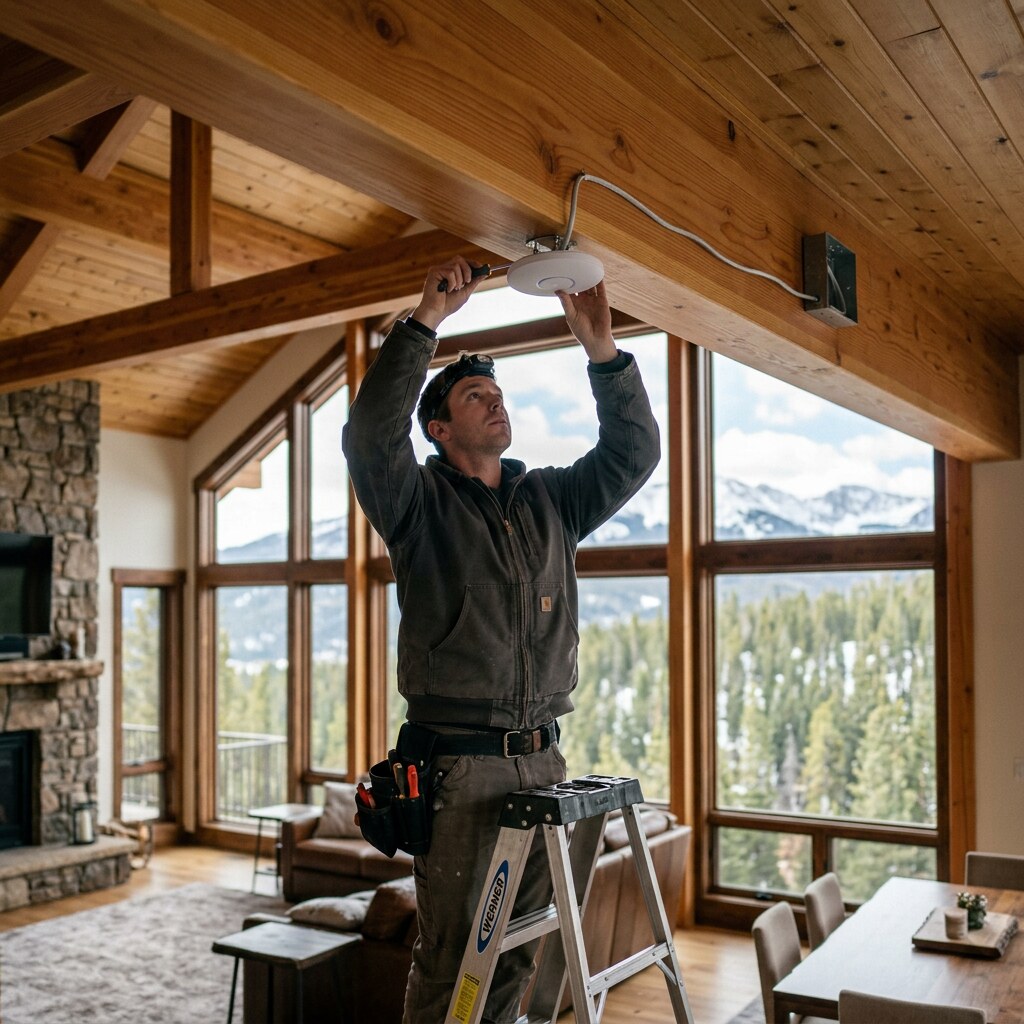
Each AP gets power and data over the same Cat6 cable. No wall warts to find an outlet for. We mount APs on ceilings (best radiation pattern), in hallways (good coverage of multiple rooms), or outdoors under eaves (extends coverage to decks, hot tubs, driveways). Outdoor APs are weatherproofed for actual Colorado winters, not optimistic California winters.
Multiple SSIDs and VLANs
Your owner network, your IoT devices, your security cameras, and (if applicable) your guest WiFi all live on separate VLANs. That means a guest’s phone never sees your printer or your cameras. Your smart thermostat’s sketchy firmware never has a path to your laptop. This isn’t paranoid — it’s just how networks are supposed to be designed.
Remote management
When something needs a tweak after we’ve gone, we can usually do it without driving out. Most fixes — reprovisioning a guest network, adjusting bandwidth limits, reviewing why a device is reconnecting — happen over a remote configuration session. Saves you a truck-roll fee and saves us time.
Documentation
Every install ships with a one-page network reference: SSIDs, passwords, gear locations, and the email address for support. It lives in the kitchen drawer or the network closet so the next person who touches it isn’t starting from scratch.
Why we don’t install consumer mesh, even when asked
About once a month a customer asks us to install equipment they bought themselves — usually a consumer mesh kit. We politely say no. Two reasons.
First, the gear isn’t up to the property. We’d be billing for an install we know is going to underperform, and the customer would (rightly) blame us when it didn’t work. We’d rather not take the job than do a bad version of it.
Second, the consumer ecosystem locks you into the vendor’s app and cloud. Updates change the UI. Settings get hidden behind monthly subscriptions. The router calls home with your traffic data. None of that aligns with how we want our customers’ networks to be supportable five or ten years from now.
UniFi gear is a one-time purchase. The controller runs locally (or in the cloud at your option). The data is yours. The configuration we set is the configuration that stays unless someone changes it.
What this means for you
If your current setup is a single router from your ISP and you’re trying to cover a multi-floor mountain home, the answer probably isn’t a bigger router. It’s the right number of properly placed access points with wired backhaul where possible.
If you’re building new construction, talk to us before drywall. Cat6 runs to four or five future AP locations during framing cost a few hundred dollars in materials. The same work after drywall costs thousands.
If your current WiFi is “mostly fine” but you’ve got one or two dead spots, that’s usually a one-AP fix — an hour or two of labor and a single piece of hardware.
Either way, send us the property address and a few photos and we’ll come back with a real quote within one business day. You’ll get a written breakdown of what we’d install and why, with a number that doesn’t change later.